
Commercial access control
Access control deteriorates in small, easy-to-ignore ways: a closer stops latching consistently, a battery loses capacity, a door contact moves out of alignment or administrators stop removing old users. Maintenance should cover the physical door, electronic system and operating records.
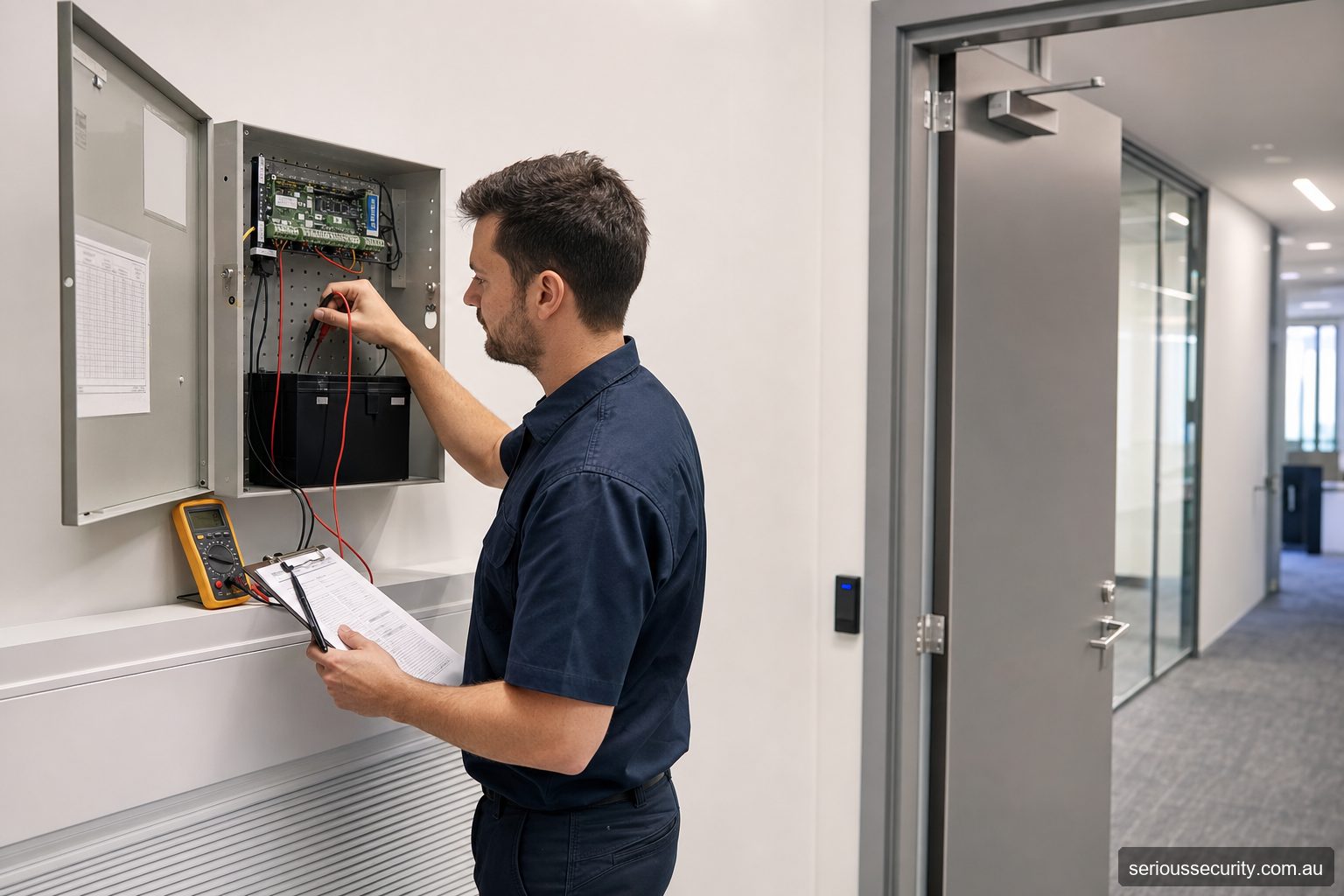
Inspect what the event log cannot show
Check that doors close and latch from normal opening angles, locks release cleanly, readers are secure and weather seals or cable loops remain intact. A system can record “door closed” even when poor alignment is placing excessive load on the lock.
Recurring forced-door, held-open or communications events should be investigated for cause rather than repeatedly acknowledged.
Test power and failure behaviour
Power supplies, batteries and controller enclosures need inspection under an appropriate maintenance regime. Battery age alone does not prove usable capacity. Relevant power-failure, network-failure and emergency-release behaviour should be tested without creating an unsafe condition.
Do not disconnect fire interfaces or bypass egress hardware as an informal test. Safety-critical testing should be planned with the responsible building professionals.
Review users and administrators
Remove former staff promptly, expire contractor and visitor access, review privileged administrators and look for shared accounts or codes. Compare access groups with current roles rather than merely checking whether credentials still work.
Keep a record of approvals and changes. The access platform should support the organisation’s leaver process, not become an isolated list that facilities remembers to clean up occasionally.
Maintain the information needed to recover
Retain current door schedules, drawings, controller and network details, configuration backups, licence information and an escalation list. Record changes after service visits.
A useful service report identifies the door, symptom, findings, work performed, parts used, remaining risk and recommended action. “Tested OK” provides little help when a fault returns.
A practical maintenance schedule
| Frequency trigger | Activities |
|---|---|
| Routine administration | Process starters, movers, leavers, lost credentials and expiring visitors |
| Regular site inspection | Check door closing, latching, lock release, reader condition, contacts and recurring events |
| Planned technical service | Inspect panels, power supplies, batteries, communications, configuration and representative failure behaviour |
| After building work | Recheck affected doors, cabling, fire or automatic-door interfaces and event reporting |
| After an incident | Preserve relevant records, inspect the opening, review permissions and document corrective action |
Intervals should reflect traffic, environment, safety significance, manufacturer instructions and the organisation’s risk—not a generic calendar alone.
What a useful service report contains
- Site, door and device identifiers
- Reported symptom and time range
- Observed condition and relevant events
- Tests performed and measured results where appropriate
- Configuration or hardware changes made
- Parts used and remaining defects
- Safety or operational risk and temporary arrangements
- Recommended action, owner and priority
Repair, replace or upgrade?
Repair is appropriate when the existing platform remains supported and the fault is confined to maintainable hardware or configuration. Replacement may be more sensible when parts are unavailable, the database is unreliable or multiple components are failing. An upgrade is justified when the operating requirement has changed—for example, central administration, more sites or better user revocation—not merely because a new model exists.
Before replacing a controller, preserve the current database, door schedule, access groups, credentials and integration details. Migration effort can exceed the visible hardware change.
Frequently asked questions
How should the door scope be set for Access Control Maintenance?
For Access Control Maintenance, control doors where managed entry creates a clear operational or security benefit. Survey all related entry, exit and emergency routes before deciding.
Can existing credentials be retained for Access Control Maintenance?
For Access Control Maintenance, possibly, but credential technology, encoding, ownership and security should be verified before promising reuse.
Who should administer Access Control Maintenance?
For Access Control Maintenance, nominate trained people with enough authority to approve, change and remove access. Limit privileged accounts and review them regularly.
Which integrations are useful for Access Control Maintenance?
For Access Control Maintenance, often, but the precise interface, licence, event flow and failure behaviour must be confirmed for the proposed products.
What information supports a quote for Access Control Maintenance?
For Access Control Maintenance, provide door photos or plans, user numbers, operating hours, credential preferences, integrations, site constraints and expected growth.
Prepare an access-control brief
Send Serious Security the door locations, approximate user numbers, plans or photographs, required integrations and likely growth. The team can assess the site and prepare an itemised proposal for Sydney or Melbourne.
Request an itemised access-control quote Sydney: (02) 8734 3250 Melbourne: (03) 8513 0799